CCTV Monitors: Your Window to CCTV Footage
Monitors are a crucial component in any CCTV or surveillance setup. These devices allow users to view video footage, whether in real-time or as recorded clips. While cameras capture the visuals and recorders store the data, monitors bring it all to life, providing a clear window into your surveillance system. In this article, we’ll dive deep into the various types of CCTV monitors available, their features, and how to choose the right one for your needs.
What Are Monitors in a Surveillance System?
A CCTV monitor is a display device that shows video output from CCTV cameras. Depending on your system’s setup, these displays can showcase live feeds, playback recorded footage, or both. The choice of a CCTV monitor can greatly impact the efficiency and clarity of your surveillance system.
CCTV monitors can be categorized based on their technology, resolution, size, and intended purpose. Let’s explore the primary types of CCTV monitors used in surveillance and how they differ.
Types of Monitors for Surveillance Systems
1. Dedicated CCTV Monitors
Dedicated CCTV monitors are specifically designed for security and surveillance systems. These monitors often include advanced features tailored for long-term video monitoring:
- Durability: Built for extended use, they can run 24/7 without overheating.
- Optimized for Surveillance: They often come with higher refresh rates and better support for CCTV signal formats like CVBS (Composite Video Baseband Signal).
- Image Quality: Many are designed to reduce lag and enhance clarity, ensuring accurate footage display.
CCTV monitors are ideal for professional settings such as control rooms, retail stores, and corporate offices where constant surveillance is necessary.
2. Standard Computer Monitors
For more versatile or budget-conscious setups, standard computer monitors are a common choice. CCTV monitors are often connected via HDMI, VGA, or DVI cables to DVRs (Digital Video Recorders) or NVRs (Network Video Recorders). They’re available in a wide range of sizes and resolutions:
- 1080p and 4K Monitors: For high-definition footage, especially from modern IP cameras.
- Widescreen Monitors: These provide a broader view, which is particularly useful for multi-camera setups.
- Affordable Options: Computer monitors are more widely available and generally cost less than dedicated CCTV monitors.
However, they’re not always optimized for 24/7 use, so they’re better suited for less intensive setups.
3. Television Screens
TVs are another viable option for viewing surveillance footage. Many modern televisions come with HDMI ports, making them compatible with most DVRs and NVRs. They offer:
- Large Screen Sizes: Great for viewing multiple feeds simultaneously.
- High Resolution: Perfect for systems that utilize high-definition cameras.
- Smart Features: Many TVs allow remote access to apps or systems that integrate with CCTV setups.
While TVs are convenient, they’re not designed for continuous operation and may not last as long in a surveillance system compared to dedicated CCTV monitors.
4. Mobile Devices (Smartphones and Tablets)
With advancements in surveillance technology, mobile devices have become a key component for monitoring. Through apps provided by DVR/NVR manufacturers or third-party platforms, users can access live feeds and recorded footage on the go. Key benefits include:
- Portability: View your surveillance system from anywhere in the world.
- Notifications: Receive alerts and instantly check your cameras.
- User-Friendly Interfaces: Apps often include intuitive designs for quick navigation.
The primary limitation is the smaller screen size, which may not provide the best experience for viewing multiple feeds simultaneously.
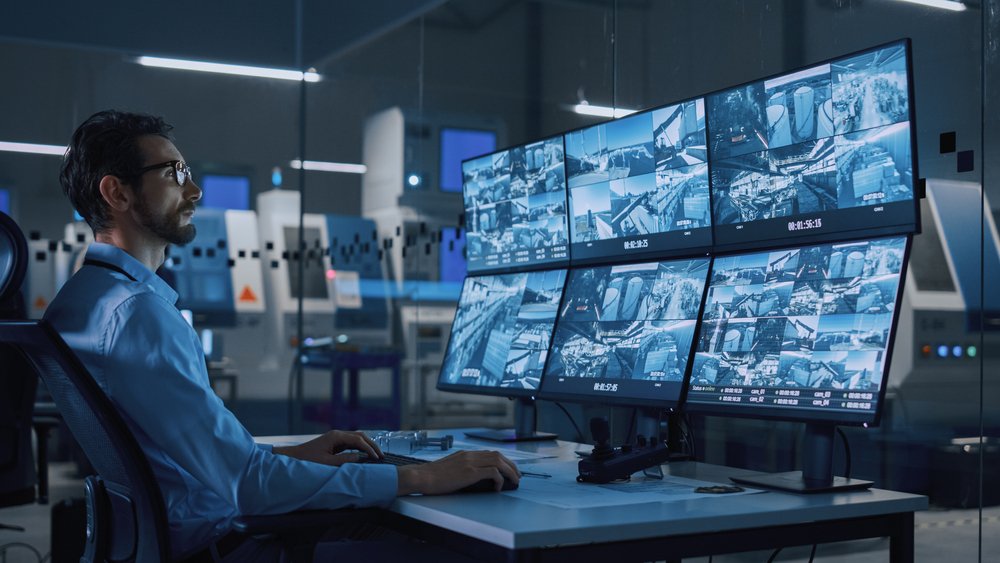
5. Multi-Screen Setups
For high-security environments like airports, casinos, and large facilities, multi-screen setups are often employed. These systems use multiple monitors to display numerous camera feeds simultaneously. Features include:
- Matrix Systems: Allow for customizable layouts, letting users prioritize certain cameras.
- Video Walls: Large-scale setups that provide a comprehensive view of all feeds.
- Split-Screen Options: Divide individual monitors into multiple sections to display various feeds on a single screen.
These setups require significant investment but are invaluable for large-scale operations.
Choosing the Right CCTV Monitor for Your System
Selecting the right monitor depends on various factors, including your surveillance needs, budget, and the type of cameras in your system. Here are some key considerations:
1. Resolution Compatibility
Ensure that the monitor’s resolution matches or exceeds the resolution of your cameras. For instance, if you’re using 4K cameras, opt for a 4K monitor to maintain image clarity.
2. Size and Viewing Distance
- For small spaces, a 19” to 24” monitor is sufficient.
- For control rooms or larger setups, larger monitors (32” or more) provide better visibility.
3. Durability
If the CCTV monitor will run continuously, invest in a dedicated CCTV monitor designed for 24/7 use.
4. Input Compatibility
Check the monitor’s input options (HDMI, VGA, DVI, etc.) to ensure compatibility with your DVR or NVR.
5. Budget
While saving on a monitor is tempting, remember that a high-quality display can significantly enhance your surveillance system’s effectiveness. Consider it an investment.
Conclusion
Monitors are more than screens in a surveillance system — they’re the final touchpoint that combines your setup. From dedicated CCTV monitors to mobile devices, the options are vast and varied, catering to every possible need. By understanding the types available and their specific applications, you can make an informed choice to maximize the efficiency of your surveillance system. Whether you’re monitoring a single room or managing a vast facility, the right monitor ensures you never miss a moment.